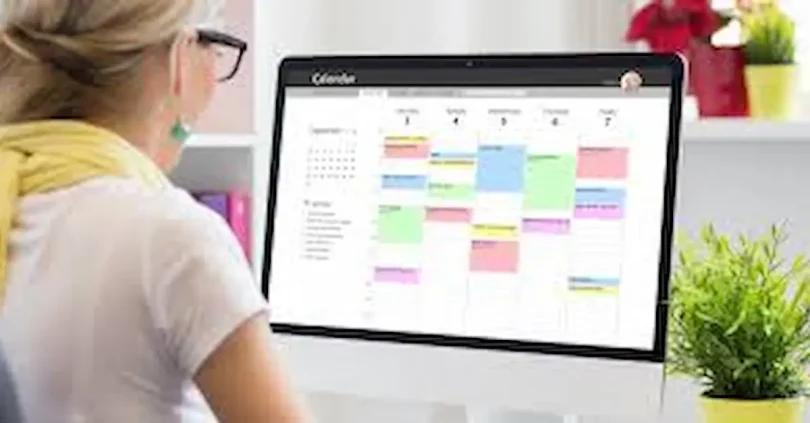

In today’s fast-paced world, staying organized is more important than ever. Whether you are a student managing assignments, a professional handling multiple projects, or someone trying to keep personal tasks on track, it’s easy to feel overwhelmed without the right tools. This is where the best free task management software comes to the rescue.
Task management software helps you plan, organize, and track all your tasks in one convenient place. With features like deadlines, reminders, task prioritization, and collaboration tools, these software options make managing work simpler and more efficient. The best part is that many of these tools are completely free, offering powerful features without any cost.
Choosing the right free task management software can save you time, reduce stress, and increase productivity. In this article, we’ll explore the top free task management software in 2025, discuss the key features to look for, and share practical tips on how to get the most out of these tools. Whether you’re managing a personal to-do list or coordinating with a team, this guide will help you find the perfect solution to stay organized and productive.
Why You Need the Best Free Task Management Software
Managing tasks manually using notebooks or simple reminders can quickly become overwhelming, especially when deadlines pile up or projects grow in complexity. The best free task management software provides a structured way to organize your tasks, prioritize important work, and track your progress efficiently.
Here are a few key reasons why using task management software is essential:
- Stay Organized: All your tasks, projects, and deadlines are stored in one place, so nothing gets lost or forgotten.
- Boost Productivity: By setting priorities and deadlines, you can focus on what matters most and accomplish more in less time.
- Reduce Stress: Knowing exactly what to do and when to do it helps reduce anxiety and mental clutter.
- Collaborate Easily: Many free task management tools allow you to assign tasks, share updates, and communicate with team members seamlessly.
- Track Progress: You can monitor completed tasks and ongoing projects, helping you evaluate performance and stay motivated.
Using the best free task management software isn’t just about managing work—it’s about creating a system that keeps you productive, organized, and in control of your time. Whether for personal tasks or team projects, the right software makes planning and completing tasks much easier.
Key Features to Look for in the Best Free Task Management Software
When searching for the best free task management software, it’s important to understand the features that can truly enhance your productivity. Not all tools offer the same capabilities, so knowing what to look for can save you time and effort. Here are the essential features:
1. User-Friendly Interface
A clean and intuitive interface is a must. The software should be easy to navigate so that you can quickly add, edit, and track tasks without confusion. Tools with a complicated layout can slow you down and reduce productivity, so simplicity is key.
2. Task Creation and Deadlines
Look for software that allows you to create tasks, subtasks, and set deadlines. Breaking down larger projects into smaller, manageable steps helps you stay organized and ensures that no task is overlooked. With clear deadlines, you can plan your work efficiently and avoid last-minute rushes. Best free task management software
3. Prioritization and Labels
Effective task management is not just about listing tasks—it’s about prioritizing them. Features like priority levels, color-coded labels, or categories help you focus on high-priority tasks first. This ensures that critical tasks are completed on time while less important tasks are scheduled appropriately. Best free task management software
4. Reminders and Notifications
Even the best planning can fail if you forget important tasks. Built-in reminders and notifications alert you about upcoming deadlines or overdue items, helping you stay on track and never miss a critical task.
5. Collaboration Tools
For teams or group projects, collaboration features are essential. The software should allow task assignment, team member tagging, comments, and progress tracking. This ensures everyone is on the same page and tasks are completed efficiently.
6. Integration with Other Apps
The ability to integrate with calendars, email, or other productivity tools can streamline your workflow. For example, syncing tasks with Google Calendar or Outlook helps you manage deadlines in one place, making planning easier and more efficient. Best free task management software
7. Mobile Accessibility
A mobile-friendly app ensures that you can manage your tasks anytime, anywhere. Whether you are commuting, traveling, or away from your computer, mobile access allows you to check off completed tasks, add new ones, and stay productive on the go.
Top Free Task Management Software in 2025

Choosing the best free task management software can be overwhelming because so many tools are available today. To help you make the right choice, we’ve highlighted the top free options in 2025, along with their key features, benefits, and ideal users.
1. Trello – Best for Visual Task Boards
Trello uses a visual board-and-card system to organize tasks and projects. It’s particularly helpful for users who prefer seeing tasks laid out visually rather than in a list format.
- Features: Drag-and-drop interface, unlimited boards, lists, and cards, customizable workflow templates.
- Benefits: Trello makes it easy to track progress at a glance. You can also add attachments, checklists, due dates, and comments to each task. Best free task management software
- Tips: Use Trello’s color labels and tags to categorize tasks and make boards more visually appealing.
- Best For: Visual planners, small teams, freelancers, and project-based work.
2. Asana – Best for Team Collaboration
Asana is designed to streamline teamwork and project management. It allows teams to assign tasks, track deadlines, and communicate progress all in one place.
- Features: Task assignments, subtasks, due dates, project timelines, basic reporting tools in free plan.
- Benefits: Keeps teams organized, reduces miscommunication, and provides transparency across projects.
- Tips: Use Asana’s timeline view to plan projects over time and monitor team progress effectively.
- Best For: Small teams, startups, and project-based work requiring team collaboration.
3. Todoist – Best for Personal Task Management
Todoist is a simple yet powerful tool designed for personal productivity. It’s ideal for managing daily tasks, routines, and personal projects.
- Features: Task creation, subtasks, recurring tasks, priority levels, and basic project organization.
- Benefits: Its minimalist design reduces distractions, helping users focus on what matters most.
- Tips: Use Todoist’s priority system to separate urgent tasks from less critical ones and schedule recurring tasks for daily habits.
- Best For: Students, freelancers, and anyone managing personal or small-scale tasks.
4. ClickUp – Best All-in-One Productivity Tool
ClickUp is a comprehensive platform that combines task management, document sharing, time tracking, and collaboration. Even in the free version, it offers robust functionality.
- Features: Unlimited tasks and users, multiple project views (list, board, calendar), integrations with Google Drive, Slack, and other apps.
- Benefits: Provides an all-in-one solution for personal and team productivity, eliminating the need for multiple apps.
- Tips: Customize ClickUp dashboards to match your workflow and prioritize tasks using the built-in statuses and tags.
- Best For: Teams and individuals managing multiple projects or needing a flexible, all-in-one tool.
5. Microsoft To Do – Best for Microsoft Users
Microsoft To Do integrates perfectly with Outlook and other Microsoft 365 apps, making task management seamless for users already in the Microsoft ecosystem.
- Features: Task lists, reminders, recurring tasks, subtasks, Microsoft 365 integration.
- Benefits: Simplifies task management for office workers and students who use Microsoft tools regularly.
- Tips: Sync your tasks with Outlook to see your deadlines in one calendar view and stay on top of work.
- Best For: Office workers, students, and anyone using Microsoft 365 apps extensively.
6. Notion – Best for Flexible Task and Project Management
Notion offers a highly flexible platform where you can combine task management, note-taking, and databases in one place. Its customization makes it ideal for both personal and team projects.
- Features: Task boards, calendars, templates, note-taking, unlimited pages and blocks in the free version.
- Benefits: You can create a personalized workflow to manage tasks exactly the way you want.
- Tips: Use Notion templates for projects or weekly task planning to save time and stay organized.
- Best For: Students, freelancers, creative professionals, and anyone who wants a flexible, all-in-one tool.
you may also like to read these posts;
Best Productivity Apps for Daily Work to Boost Efficiency
Top AI Tools for Small Businesses to Grow Smarter
Affordable Smart Gadgets for Home Use That Save Time & Money
Using ChatGPT for Study: A Complete Step-by-Step Guide
Top Free Task Management Software in 2025
Choosing the best free task management software can be overwhelming because so many tools are available today. To help you make the right choice, we’ve highlighted the top free options in 2025, along with their key features, benefits, and ideal users.
1. Trello – Best for Visual Task Boards
Trello uses a visual board-and-card system to organize tasks and projects. It’s particularly helpful for users who prefer seeing tasks laid out visually rather than in a list format.
- Features: Drag-and-drop interface, unlimited boards, lists, and cards, customizable workflow templates.
- Benefits: Trello makes it easy to track progress at a glance. You can also add attachments, checklists, due dates, and comments to each task.
- Tips: Use Trello’s color labels and tags to categorize tasks and make boards more visually appealing.
- Best For: Visual planners, small teams, freelancers, and project-based work. best free task management software
2. Asana – Best for Team Collaboration
Asana is designed to streamline teamwork and project management. It allows teams to assign tasks, track deadlines, and communicate progress all in one place.
- Features: Task assignments, subtasks, due dates, project timelines, basic reporting tools in free plan.
- Benefits: Keeps teams organized, reduces miscommunication, and provides transparency across projects.
- Tips: Use Asana’s timeline view to plan projects over time and monitor team progress effectively.
- Best For: Small teams, startups, and project-based work requiring team collaboration.
3. Todoist – Best for Personal Task Management
Todoist is a simple yet powerful tool designed for personal productivity. It’s ideal for managing daily tasks, routines, and personal projects.
- Features: Task creation, subtasks, recurring tasks, priority levels, and basic project organization.
- Benefits: Its minimalist design reduces distractions, helping users focus on what matters most.
- Tips: Use Todoist’s priority system to separate urgent tasks from less critical ones and schedule recurring tasks for daily habits.
- Best For: Students, freelancers, and anyone managing personal or small-scale tasks.
4. ClickUp – Best All-in-One Productivity Tool
ClickUp is a comprehensive platform that combines task management, document sharing, time tracking, and collaboration. Even in the free version, it offers robust functionality.
- Features: Unlimited tasks and users, multiple project views (list, board, calendar), integrations with Google Drive, Slack, and other apps.
- Benefits: Provides an all-in-one solution for personal and team productivity, eliminating the need for multiple apps.
- Tips: Customize ClickUp dashboards to match your workflow and prioritize tasks using the built-in statuses and tags.
- Best For: Teams and individuals managing multiple projects or needing a flexible, all-in-one tool.
5. Microsoft To Do – Best for Microsoft Users
Microsoft To Do integrates perfectly with Outlook and other Microsoft 365 apps, making task management seamless for users already in the Microsoft ecosystem.
- Features: Task lists, reminders, recurring tasks, subtasks, Microsoft 365 integration.
- Benefits: Simplifies task management for office workers and students who use Microsoft tools regularly.
- Tips: Sync your tasks with Outlook to see your deadlines in one calendar view and stay on top of work.
- Best For: Office workers, students, and anyone using Microsoft 365 apps extensively.
6. Notion – Best for Flexible Task and Project Management
Notion offers a highly flexible platform where you can combine task management, note-taking, and databases in one place. Its customization makes it ideal for both personal and team projects.
- Features: Task boards, calendars, templates, note-taking, unlimited pages and blocks in the free version.
- Benefits: You can create a personalized workflow to manage tasks exactly the way you want.
- Tips: Use Notion templates for projects or weekly task planning to save time and stay organized.
- Best For: Students, freelancers, creative professionals, and anyone who wants a flexible, all-in-one tool.
Tips for Getting the Most Out of Free Task Management Software

Using the best free task management software can dramatically improve your productivity, but to get the most value, it’s important to use it strategically. Here’s a detailed guide with actionable tips:
1. Set Clear Priorities
Not all tasks are created equal. Using your task management software to prioritize tasks ensures that the most important work is completed first.
- Label tasks as urgent, high, medium, or low priority.
- Focus on completing critical tasks before less important ones.
- Avoid cluttering your list with too many low-priority tasks.
Prioritization helps you manage your energy, prevents procrastination, and keeps deadlines on track.
2. Break Tasks into Smaller Steps
Large projects can feel overwhelming if treated as a single task. Breaking them into smaller steps makes them more manageable.
- Use subtasks or checklists to divide a project into actionable steps.
- Track progress on each small step to maintain momentum.
- Celebrate completing subtasks to stay motivated.
Smaller, actionable tasks give a sense of accomplishment and reduce stress associated with big projects.
3. Organize Using Labels, Tags, and Categories
Organizing tasks is crucial for clarity and efficiency. Most free task management tools allow you to categorize tasks.
- Color-code tasks by project, type, or urgency.
- Use tags for easy filtering and searching.
- Separate personal and professional tasks to avoid confusion.
Well-organized tasks make it easier to focus, reduce mistakes, and quickly find what you need.
4. Set Reminders and Notifications
Even the most organized plan can fail if you forget deadlines. Take advantage of reminders and notifications.
- Set one-time or recurring reminders for tasks.
- Use mobile notifications for urgent deadlines or meetings.
- Combine reminders with prioritization to manage high-priority tasks first.
Notifications keep you on track and prevent last-minute stress or missed deadlines.
5. Review and Update Tasks Regularly
Regularly reviewing and updating tasks ensures your task list stays relevant and effective.
- Review daily to adjust priorities and plan your day.
- Weekly reviews help track progress on larger projects.
- Remove or reschedule outdated tasks to keep your list clean.
Consistent reviews help you stay organized, maintain focus, and track long-term goals.
6. Customize the Tool to Fit Your Workflow
Many free task management software options allow customization. Adapting the tool to your workflow enhances efficiency.
- Choose different views such as board, list, or calendar based on preference.
- Create templates for repetitive projects or tasks.
- Adjust notifications, labels, and filters to match your working style.
Customizing your software makes it more intuitive, saving time and improving productivity.
7. Use Integrations Wisely
Free task management software often supports integrations with other apps.
- Sync with Google Calendar, Outlook, or Apple Calendar for a unified schedule.
- Connect with communication tools like Slack or Teams for team projects.
- Link cloud storage tools such as Google Drive or Dropbox for attachments.
Integrations streamline your workflow and reduce the need to switch between multiple apps.
8. Limit Tasks to What You Can Handle
Overloading your task list can be counterproductive. Keep your task list realistic.
- Focus on a manageable number of tasks per day.
- Avoid adding too many low-priority items that clutter your list.
- Use completed tasks as motivation to tackle more in the future.
A realistic task load keeps you motivated and prevents burnout.
9. Track Progress and Celebrate Wins
Tracking progress helps maintain motivation and ensures you’re meeting your goals.
- Use progress bars, checklists, or task completion percentages.
- Celebrate completing tasks, even small ones, to stay motivated.
- Review completed tasks at the end of the week or month to see overall productivity.
Recognizing progress builds momentum and encourages consistent task completion.
Are free versions of task management software enough?
Yes! Many free task management tools are fully capable for personal use or small teams. They include essential features like task creation, deadlines, reminders, and basic collaboration. While premium plans offer advanced features, free versions are often sufficient to stay organized and productive.
Can I switch between different task management software?
Absolutely. Most tools allow data export or provide integrations with other software. For example, you can export tasks from Trello to CSV or migrate tasks from Asana to ClickUp. This makes it easier to try different tools and find the one that fits your workflow best.
Are free task management tools safe to use?
Yes, reputable tools like Trello, Asana, ClickUp, and Todoist use secure servers and encryption to protect your data. However, it’s important to read their privacy policies and avoid storing sensitive personal or financial information in these apps.
Can free task management software be used for teams?
Yes! Many free tools support collaboration with multiple users. Asana, Trello, and ClickUp, for example, allow teams to assign tasks, share updates, and track progress even in the free version. Keep in mind that some limitations may exist, such as the number of team members or storage capacity.
Which free task management software is best for personal use?
For personal task management, tools like Todoist, Microsoft To Do, and Notion are ideal. They focus on simplicity, ease of use, and individual productivity. These apps allow you to manage daily tasks, routines, and personal projects efficiently.
Conclusion
Choosing the best free task management software is a powerful way to stay organized, boost productivity, and manage both personal and professional tasks effectively. Whether you are a student, freelancer, or part of a team, the right task management tool can simplify your workflow, reduce stress, and ensure you never miss a deadline.
From visual boards like Trello to flexible platforms like Notion, there is a free tool suitable for every need. Tools like Asana and ClickUp are perfect for team collaboration, while Todoist and Microsoft To Do work exceptionally well for personal task management.
By understanding your priorities, exploring essential features, and applying productivity tips, you can make the most of these free tools. Start by testing a few options, customize them to fit your workflow, and use reminders, labels, and checklists to stay organized.
In the end, using the best free task management software is not just about managing tasks—it’s about taking control of your time, improving focus, and achieving your goals efficiently. Try one of the tools mentioned today and experience how organized and productive your life can become.