
Best Budgeting Apps for Beginners are designed to make money management simple and stress-free. If you’re new to budgeting, it can feel confusing to track where your money goes, balance your bills, and still save for the future. Many people give up because traditional methods like spreadsheets or manual tracking take too much time and effort.
This is where budgeting apps step in. They allow beginners to easily record income, track daily expenses, and set clear savings goals—all in one place. Most apps work automatically by connecting to your bank account, showing you exactly how much you spend on food, shopping, travel, or bills. Some even alert you when you’re close to overspending, so you can stay in control.
Using a budgeting app as a beginner not only helps you understand your spending habits but also builds financial discipline. With just a few taps, you can create a monthly budget, monitor your progress, and make smarter choices with your money.
In this guide, we’ll cover the top budgeting apps for beginners in 2025, explain their key features, and share practical tips to help you get started with budgeting the easy way.
Why Beginners Should Use a Budgeting App
Starting your budgeting journey can feel overwhelming, especially if you’re not sure where your money goes every month. Many beginners often run into the same problems: spending more than they earn, struggling to save, or forgetting about bills until it’s too late. This is where budgeting apps make life easier—they act like a simple money manager that fits right into your pocket.
1. Easy to Track Income and Expenses
- Instead of keeping receipts or using complicated spreadsheets, budgeting apps track your income and expenses automatically. By connecting to your bank account, they categorize your spending into groups like food, shopping, rent, bills, and entertainment. For beginners, this makes it much easier to understand where money is going.
2. Helps You Avoid Overspending
- It’s easy to lose track of small purchases like snacks, subscriptions, or coffee runs. But these little costs add up quickly. A budgeting app alerts you when you’re nearing your spending limit, helping you make smarter choices before your budget is blown.
3. Builds Strong Saving Habits
- Most beginners find it hard to save consistently. Budgeting apps allow you to set savings goals—whether it’s for an emergency fund, a new gadget, or a vacation. By watching your progress in the app, you stay motivated to save more and spend less.
4. Teaches You Financial Discipline
- As a beginner, you may not yet have strong money habits. Budgeting apps encourage you to set priorities, stick to spending limits, and adjust your lifestyle if needed. Over time, this helps you develop financial discipline that lasts a lifetime.
5. Reduces Stress and Brings Clarity
- Money can be stressful when you’re unsure about your finances. A budgeting app removes the guesswork by showing you exactly how much you can spend, how much you’ve saved, and what bills are coming up. This clarity gives you peace of mind and reduces financial stress.
6. Perfect for Learning Step by Step
- The best part is that budgeting apps are beginner-friendly. You don’t have to be a finance expert to use them. They guide you step by step, making budgeting less of a chore and more of a helpful daily habit. Best Budgeting Apps for Beginners
Benefits of Best Budgeting Apps for Beginners
Budgeting apps are more than just digital notebooks for your money—they’re powerful tools designed to make financial management simple and stress-free. For beginners, these apps offer many benefits that help build confidence and good money habits right from the start. Best Budgeting Apps for Beginners
1. Automation Saves Time
One of the biggest benefits of budgeting apps is automation. Instead of manually writing down every expense, most apps automatically sync with your bank account or credit card. This means your income and spending are updated in real-time without extra effort.
2. Clear Expense Categorization
Budgeting apps sort your spending into categories such as food, transport, shopping, rent, and entertainment. Seeing where your money goes in a clear breakdown helps beginners understand their spending habits and find areas where they can cut back .Best Budgeting Apps for Beginners
3. Goal Setting Made Easy
Whether you want to save for a new laptop, pay off debt, or build an emergency fund, budgeting apps let you set financial goals. They track your progress and show how close you are to achieving them, which keeps you motivated. Best Budgeting Apps for Beginners
4. Alerts and Reminders
Forgetfulness is common when you’re new to budgeting. Apps send reminders for bill payments, notify you about unusual spending, and warn you when you’re close to overspending. This keeps you on track and prevents unnecessary late fees.
5. Better Money Control
Having all your financial information in one place gives you more control. You can instantly see how much money you have left to spend, how much you’ve saved, and what upcoming payments you need to prepare for.
6. Encourages Financial Discipline
Budgeting apps help you build strong financial habits over time. By tracking your daily spending and sticking to limits, you naturally become more disciplined with money—a skill that will benefit you for life.
7. Beginner-Friendly and Easy to Use
Most budgeting apps are designed with simplicity in mind. You don’t need to be a finance expert to understand them. With a clean interface, colourful charts, and step-by-step guidance, they make budgeting approachable for complete beginners.
Best Budgeting Apps for Beginners in 2025
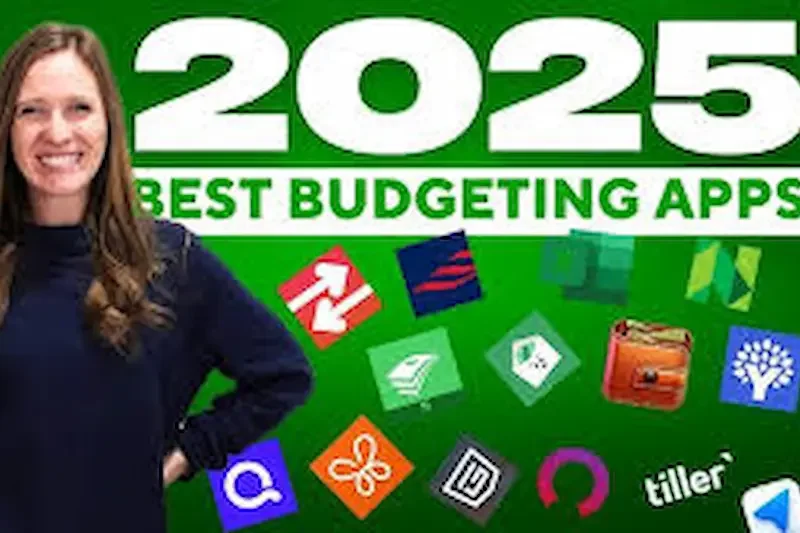
If you’re new to budgeting, the right app can make money management much easier. Some apps focus on simplicity, while others guide you step by step toward saving and financial discipline. Below are the best budgeting apps for beginners in 2025, along with their key features and benefits.
1. Mint
Mint is one of the most popular budgeting apps, especially for beginners. It’s completely free and easy to set up.
- Connects to your bank accounts and tracks spending automatically.
- Organizes expenses into categories like food, rent, shopping, and travel.
- Sends reminders for bills so you don’t miss payments.
- Offers insights into your spending habits through charts and reports.
Best for: Beginners who want a free, all-in-one money tracker.
2. YNAB (You Need a Budget)
YNAB is perfect for beginners who want to get serious about budgeting. It teaches you how to manage money using the “give every dollar a job” method, which helps you plan for every expense.
- Encourages saving and debt repayment with clear goals.
- Offers detailed tutorials, guides, and a strong support community.
- Syncs across devices, so you can budget on the go.
- Paid app, but comes with a free trial for beginners.
Best for: Beginners who want to build strong financial habits and learn discipline.
3. Goodbudget
Goodbudget is based on the classic envelope system, where you set aside money for specific categories. Instead of physical envelopes, the app uses digital ones.
- Easy to plan monthly budgets in categories like groceries, transport, or entertainment.
- Available on both desktop and mobile for flexibility.
- Lets you share budgets with family members—great for couples or households.
- Free version available, with an option to upgrade for more envelopes.
Best for: Beginners who prefer simple, planned budgeting with a visual method.
4. PocketGuard
PocketGuard is a very beginner-friendly app that shows you how much money is safe to spend after accounting for bills and savings goals.
- Tracks subscriptions and recurring payments automatically.
- Provides insights on where you can cut unnecessary expenses.
- Simple and quick setup, ideal for those new to budgeting.
- Offers both free and premium versions.
Best for: Beginners who struggle with overspending and want daily money control.
5. EveryDollar
Created by finance expert Dave Ramsey, EveryDollar is designed around zero-based budgeting—every dollar you earn is assigned a purpose.
- Very easy to create a monthly budget in just a few minutes.
- Beginner-friendly design with straightforward categories.
- Free version available; premium includes bank syncing.
- Encourages intentional spending and saving.
Best for: Beginners who want structure and a clear plan for every dollar.
6. Fudget
Fudget is a minimalist app that focuses on simplicity. It doesn’t overwhelm beginners with too many features.
- Add income and expenses manually for full control. Best Budgeting Apps for Beginners
- No bank syncing required—great for privacy-conscious users.
- Lightweight and easy to use on any device. Best Budgeting Apps for Beginners
- Perfect for short-term budgeting or quick expense tracking.
Best for: Beginners who want a no-frills, easy-to-use app. Best Budgeting Apps for Beginners
you may also like to read these posts;
Top AI Tools for Small Businesses to Grow Smarter
Affordable Smart Gadgets for Home Use That Save Time & Money
Using ChatGPT for Study: A Complete Step-by-Step Guide
Best Free Task Management Software to Boost Productivity
Mobile Apps to Improve Focus and Time Management Easily
How to Choose the Right Budgeting App
Choosing the right budgeting app is very important for beginners because not every app fits everyone’s needs. The right app will help you manage your money, track spending, save, and reach financial goals without feeling complicated or overwhelming.
Identify Your Financial Goals
Before choosing an app, think about why you want to start budgeting. Are you trying to track daily spending, save money for a goal, pay off debt, or just understand where your money goes? Knowing your goals will make it easier to pick an app that focuses on what matters most. For example, if saving is your priority, choose an app with goal-setting features. If you just want to track spending, a simple app will be enough. Best Budgeting Apps for Beginners
Consider Features vs. Simplicity
Budgeting apps vary from very simple to highly detailed. Some apps, like Mint or YNAB, offer features such as automatic bank syncing, spending reports, charts, and financial advice. These are great if you want guidance and insights. Simpler apps, like Fudget or Goodbudget, allow you to manually enter income and expenses and focus only on basic tracking. Choose an app that matches your comfort level and won’t feel too complicated to use. Best Budgeting Apps for Beginners
Check Cost and Availability
Many budgeting apps are free, but some require a subscription for premium features. Free versions often include enough tools for beginners, while paid apps may offer extra categories, bank syncing, and detailed reports. Decide what fits your budget and whether you really need premium features.
Evaluate User Experience and Interface
A clear, easy-to-use interface makes budgeting enjoyable rather than stressful. Look for apps that show spending categories, charts, and monthly summaries clearly. Try a free version or check reviews to see if the app is intuitive and easy to navigate. Best Budgeting Apps for Beginners
Consider Syncing and Accessibility
Some apps sync automatically with your bank account, which saves time and updates your transactions in real-time. Others are manual, where you input income and expenses yourself, which gives more privacy and control. Think about which method feels safer and easier for you.Best Budgeting Apps for Beginners
Try Free Versions or Trials
Many apps offer free trials or basic versions. Test a few apps to see which one suits your style and motivates you to track your finances regularly. The best app is the one you will actually use consistently. Best Budgeting Apps for Beginners
Step-by-Step Guide for Beginners to Start Budgeting
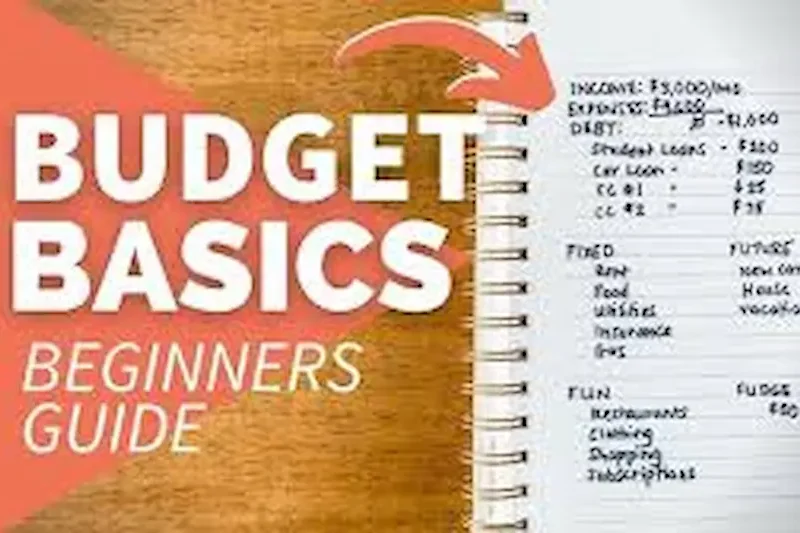
Budgeting may seem overwhelming at first, but breaking it down into simple steps can make it manageable and even enjoyable. A good budgeting system helps you take control of your money, save for your goals, and avoid unnecessary stress. Here’s a detailed guide for beginners:
Step 1: Determine Your Monthly Income
The first step is to know exactly how much money you earn each month. Include your salary, freelance income, side hustles, and any other sources of income. Make sure to calculate your net income (what you actually receive after taxes and deductions) because that’s the money you will use to budget. Knowing your total income helps you plan your expenses and savings realistically. Best Budgeting Apps for Beginners
Step 2: List All Monthly Expenses
Next, make a list of all your expenses. Start with essentials like rent, utilities, groceries, transportation, and bills. Don’t forget irregular expenses such as medical costs, subscriptions, and occasional outings. Even small daily expenses like coffee, snacks, or ride-sharing apps should be included because they add up over time. Budgeting apps can automatically track many of these expenses for you. Best Budgeting Apps for Beginners
Step 3: Categorize Your Spending
Divide your expenses into categories. Common categories include:
- Necessities: Rent, bills, groceries, transportation Best Budgeting Apps for Beginners
- Wants: Dining out, shopping, entertainment Best Budgeting Apps for Beginners
- Savings and Debt: Emergency fund, debt payments, investments Best Budgeting Apps for Beginners
Categorizing your expenses helps you understand where your money is going and identify areas where you can cut back or save more. Best Budgeting Apps for Beginners
Step 4: Set Clear Saving Goals
Decide how much money you want to save each month and what it is for. Your goals can be short-term (saving for a vacation or a new gadget) or long-term (building an emergency fund, investing, or paying off debt). Using a budgeting app, you can set specific targets, track your progress, and stay motivated to achieve them. Best Budgeting Apps for Beginners
Step 5: Choose a Budgeting Method
Select a budgeting method that works best for your lifestyle:
- 50/30/20 Rule: 50% for necessities, 30% for wants, 20% for savings Best Budgeting Apps for Beginners
- Zero-Based Budgeting: Every dollar is assigned a job, either for spending or saving Best Budgeting Apps for Beginners
Most budgeting apps allow you to apply these methods easily, so you can follow a structured plan without much effort. Best Budgeting Apps for Beginners
Step 6: Track Your Spending Regularly
Tracking your expenses is essential to know if you are staying within your budget. Check your app daily or at least weekly to ensure you are on track. Many apps send notifications for spending limits or unusual expenses, which helps prevent overspending. Best Budgeting Apps for Beginners
Step 7: Review and Adjust Your Budget Monthly
At the end of each month, review your spending to see where you did well and where you can improve. Adjust your categories, spending limits, and savings goals as needed. Budgeting is flexible, and it’s normal to refine your plan as you learn more about your habits. Best Budgeting Apps for Beginners
Step 8: Stay Consistent and Patient
Consistency is the key to successful budgeting. Make tracking expenses a habit, regularly check your progress, and stick to your plan. It may take a few months to get fully comfortable, but over time, you will notice better control over your finances, reduced stress, and growing savings. Best Budgeting Apps for Beginners
Step 9: Learn and Improve Continuously
Budgeting is a learning process. Pay attention to patterns in your spending, find areas where you can cut back, and explore new strategies to save more. Over time, you’ll become more confident in managing your money, making smarter financial decisions, and achieving your goals. Best Budgeting Apps for Beginners
What is the easiest budgeting app for beginners?
Many beginners find Mint and Fudget the easiest to use. Mint automatically tracks your spending and provides clear charts, while Fudget is simple and manual, perfect for those who prefer minimal features. The best app depends on whether you want automation or simplicity.
Are budgeting apps safe to use?
Yes, most budgeting apps are secure and use encryption to protect your data. If an app connects to your bank, it typically uses read-only access, meaning it cannot move money. Always choose apps from trusted sources and read their privacy policies.
Do I need to pay for a budgeting app to get good results?
Not necessarily. Many free apps like Mint and Goodbudget provide all the basic features a beginner needs. Paid versions offer advanced features like automatic syncing, detailed reports, or multiple goals, but you can start with free apps and upgrade later if needed.
Can budgeting apps really help me save money?
Yes. By tracking expenses, categorizing spending, and setting savings goals, budgeting apps make you more aware of your money habits. This awareness helps prevent overspending and encourages consistent saving, which can significantly improve your financial health over time.
How often should I check my budgeting app?
It’s best to check daily or at least a few times a week. Regular monitoring helps you stay on track with your budget, notice unusual spending, and make adjustments before it’s too late. Some apps also send notifications to help you stay consistent.
Conclusion
Using the best budgeting apps for beginners can make managing your money simple, stress-free, and effective. These apps help you track your income and expenses, set savings goals, and gain control over your finances without the need for complicated spreadsheets.
Starting with the right app allows you to understand your spending habits, avoid overspending, and build strong financial habits from the very beginning. Whether you choose a simple app like Fudget or a more feature-rich option like Mint or YNAB, the key is consistency.
Begin by setting up your budget, tracking your expenses, and reviewing your progress regularly. Over time, budgeting will become a habit, helping you save more, spend wisely, and achieve your financial goals with confidence.
Take the first step today and start using a budgeting app that fits your needs. Your financial future will thank you.