
Managing money can feel overwhelming, especially when expenses add up without us even noticing. From daily coffee runs to online subscriptions, small purchases can quickly drain our budget. That’s why tracking your expenses is so important—it gives you a clear picture of where your money goes and helps you take control of your finances.
The best part? You don’t need to spend money to manage money. Today, there are plenty of Best free tools for tracking expenses that make the process easy, quick, and even enjoyable. In this guide, we’ll explore some of the best free apps and tools you can use to keep your finances in check and start building better money habits.
Why Tracking Expenses Matters
Many people wonder why they should track every little expense. The truth is, expense tracking is the foundation of good money management. Here’s why it matters:
- Helps you control overspending
When you know exactly where your money is going, you’re less likely to waste it on things you don’t need. - Improves budgeting and savings
Tracking expenses shows you how much you can realistically save each month. It also helps you set smarter financial goals. - Keeps you disciplined
Recording your daily spending builds financial awareness. Over time, it creates discipline and better habits. - Reduces chances of debt
By monitoring your cash flow, you’re less likely to rely on credit cards or loans to cover unplanned expenses. - Gives peace of mind
Knowing your financial situation clearly helps reduce stress and gives you confidence in making decisions.
In short, tracking your expenses is not just about cutting costs—it’s about understanding your money and using it wisely.
Best Free Tools for Tracking Expenses
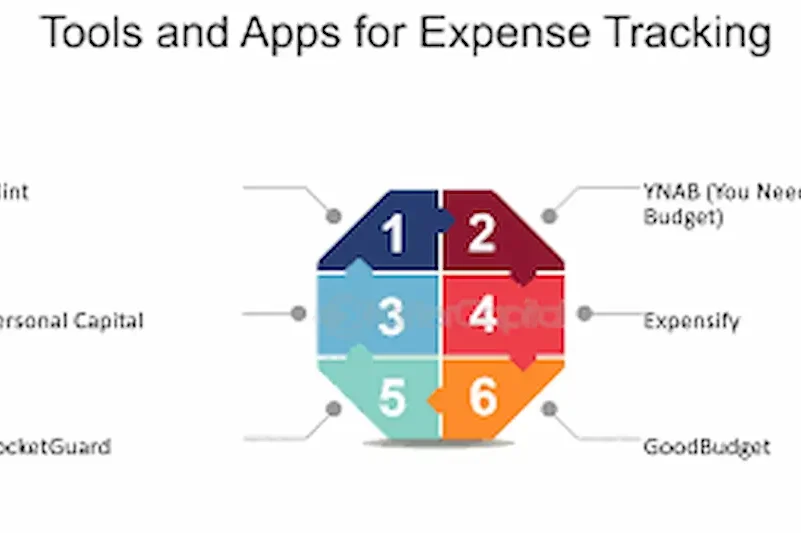
With so many apps and tools available, choosing the right one can feel confusing. The good news is that most of them are free, easy to use, and designed to fit different lifestyles. Whether you like automation, prefer manual tracking, or just want simple spreadsheets, there’s something for everyone. Here are some of the best free tools for tracking expenses:
1. Mint
Mint is one of the most trusted apps for managing money. Once you connect your bank accounts, credit cards, and bills, it automatically tracks your spending and organizes it into categories like food, shopping, and travel.
- Provides bill reminders so you never miss payments
- Lets you set financial goals, such as saving for a trip
- Sends alerts if you’re overspending in a category
It’s a perfect all-in-one tool for people who want expense tracking plus budgeting features in one place.
2. Goodbudget
Goodbudget is built around the “envelope system,” where you divide your money into different envelopes like rent, groceries, or savings. Instead of carrying physical cash, you assign digital envelopes for each category.
- Great for couples or families who want to manage money together
- Helps you set limits on spending before you overspend
- Works well for people who like structured budgeting
If you want more control over your budget and like planning in advance, Goodbudget is a strong option.
3. PocketGuard
PocketGuard is designed for simplicity. After connecting your accounts, it calculates how much money is “safe to spend” once your bills and savings are covered.
- Perfect for beginners who don’t want to deal with too many details
- Provides insights on recurring subscriptions you might not need
- Helps you identify areas where you can save money
If you often ask yourself, “Can I afford this?”, PocketGuard gives you a quick answer.
4. Wally
Wally is a flexible expense tracker that gives you more control. Unlike apps that require bank connections, Wally allows you to manually enter your expenses and income.
- Option to scan and save receipts directly in the app
- Supports multiple currencies (useful if you travel often)
- Keeps your data private without linking to your bank
It’s a good choice if you prefer privacy or want to build the habit of writing down your expenses.
5. Spendee
Spendee makes tracking expenses fun with its colorful and easy-to-read charts. You can connect your bank accounts or log transactions manually.
- Create shared wallets with family members or friends
- Perfect for household budgets or group trips
- Visual graphs make it easier to see where your money goes
If you’re a visual learner and want something user-friendly, Spendee is a great option.
6. Excel or Google Sheets
For those who don’t want an app, spreadsheets remain a reliable option. With Excel or Google Sheets, you can customize templates to track income, expenses, and savings.
- 100% free and highly flexible
- No need to share personal banking information
- Works both online (Google Sheets) and offline (Excel)
It’s especially useful for people who enjoy full control and like to analyze their data manually.
you may also like to read these posts;
Top AI Tools for Small Businesses to Grow Smarter
Affordable Smart Gadgets for Home Use That Save Time & Money
Using ChatGPT for Study: A Complete Step-by-Step Guide
Best Free Task Management Software to Boost Productivity
Mobile Apps to Improve Focus and Time Management Easily
How to Choose the Right Expense Tracking Tool
Not every expense tracking tool works for everyone. The best tool for you depends on your lifestyle, habits, and financial goals. Here’s a more detailed look at how to choose the right one:
1. Automation vs. Manual Entry
- Automated tools like Mint or PocketGuard connect directly to your bank accounts and credit cards. They save time by automatically logging and categorizing transactions. Perfect for busy people who want everything done for them.
- Manual tools like Wally or Google Sheets give you full control. You enter each expense yourself, which helps build awareness and discipline. Great for people who want privacy and don’t like linking bank accounts.
2. Ease of Use
Ask yourself: Will you actually use this tool every day? A complicated app with too many features can feel overwhelming.
- If you’re a beginner, start with something simple like PocketGuard.
- If you’re comfortable with numbers and details, Mint or Spendee might suit you better.
3. Features That Match Your Lifestyle
Everyone has different financial needs:
- Couples or families – Spendee (shared wallets) or Goodbudget (envelopes) are excellent.
- Students or travelers – Wally is great because it supports multiple currencies.
- Household budgeting – Goodbudget’s envelope system keeps spending organized.
- Visual learners – Spendee offers colorful graphs and charts.
4. Security and Privacy
Your financial data is sensitive, so security matters. Most big apps use bank-level encryption, but always double-check reviews before linking accounts.
- If you’re not comfortable sharing your bank details, stick with manual entry tools like Wally, Excel, or Google Sheets.
5. Your Financial Goals
Think about what you want to achieve:
- Just want awareness of spending? → Wally or Google Sheets is enough.
- Want budgeting + savings planning? → Mint or Goodbudget will help.
- Need to stop overspending? → PocketGuard shows you how much is “safe to spend.”
6. Test and Adjust
Don’t feel pressured to stick with one tool forever. Try one for a week or two:
- If it feels too complex, switch to a simpler option.
- If it feels too basic, upgrade to one with more features.
The right expense tracker is the one that fits smoothly into your daily routine. Once you find it, tracking money becomes easy—and staying on budget feels natural.
Tips for Using Expense Tracking Tools Effectively
Downloading an expense tracker is only the first step—the real value comes from using it consistently and correctly. Here are some practical tips to make the most of your chosen tool:
1. Log Expenses Regularly
Record your expenses daily or at least every couple of days. Waiting too long can cause you to forget smaller purchases like coffee, snacks, or transportation fares, which add up over time. Consistency keeps your data accurate and reliable.
2. Categorize Every Transaction
Most apps allow you to organize spending into categories such as food, bills, transport, or entertainment. Accurate categorization helps you identify where most of your money is going and highlights areas where you can cut back. For example, you may notice you spend more on dining out than groceries. Best free tools for tracking expenses
3. Set Clear Financial Goals
Use your expense tracker to work toward specific goals. Whether you want to save for an emergency fund, pay off debt, or plan for a vacation, setting goals gives your expense tracking a purpose. Many tools allow you to set savings targets and monitor progress directly. Best free tools for tracking expenses
4. Take Advantage of Alerts and Reminders
Some apps, like Mint or PocketGuard, let you set notifications for upcoming bills or alerts when you exceed a budget limit. These reminders help you avoid late fees and prevent overspending before it becomes a bigger issue.
5. Review Weekly and Monthly Reports
Check your reports regularly to see patterns in your spending. A weekly review helps you stay on track, while a monthly summary gives you a big-picture view of your financial habits. This step is essential for making adjustments to your budget. Best free tools for tracking expenses
6. Start Simple and Build Up
If you are new to expense tracking, avoid overcomplicating things by creating too many categories or goals. Start with basic divisions like “needs” and “wants.” Once you get comfortable, you can create more detailed categories such as groceries, dining, subscriptions, or utilities. Best free tools for tracking expenses
7. Involve Family or Partners
If you share finances with someone else, use tools that allow shared access, like Spendee or Goodbudget. Tracking together encourages accountability, ensures transparency, and makes it easier to stick to shared goals like saving for rent, bills, or vacations.
8. Stay Consistent and Patient
The biggest mistake people make is quitting after a few weeks. Expense tracking is not an instant fix; it is a habit that grows more powerful with time. The longer you track, the more insights you will have about your financial behavior, which helps you make smarter money decisions. Best free tools for tracking expenses
Common Mistakes to Avoid
Using expense tracking tools can transform the way you handle money, but only if you avoid the common pitfalls that many beginners face. Here are some mistakes to watch out for, along with tips on how to overcome them:
1. Ignoring Small Daily Purchases
A common mistake is thinking small purchases don’t matter. Coffee, snacks, or that quick ride-share may not seem like much, but if you skip recording them, you lose accuracy. Over time, these small amounts add up to a big figure. Best free tools for tracking expenses
- Example: Spending $3 on coffee five times a week adds up to more than $60 a month. Best free tools for tracking expenses
- Solution: Always log every expense, no matter how small. Many apps allow quick entries or receipt scanning to make this easier. Best free tools for tracking expenses
2. Forgetting to Update Regularly
Some people open their tracking app once a month and try to recall all their expenses. This often leads to missing transactions or incorrect data. Best free tools for tracking expenses
- Example: You may remember paying your electricity bill but forget about three online food orders. Best free tools for tracking expenses
- Solution: Update daily or at least every few days. Turn on notifications or reminders in the app to help build the habit. Best free tools for tracking expenses
3. Using Too Many Tools at Once
It can be tempting to download multiple apps or switch between them too often. This leads to confusion and scattered data. Best free tools for tracking expenses
- Example: Entering some expenses in Wally and others in Excel leaves you with incomplete results.Best free tools for tracking expenses
- Solution: Choose one tool that feels comfortable and stick to it for at least a month before considering alternatives.
4. Overcomplicating Categories
Creating dozens of categories can make expense tracking stressful instead of helpful. Too much detail may discourage you from updating consistently. Best free tools for tracking expenses
- Example: Splitting “Food” into “Groceries,” “Restaurants,” “Cafés,” “Snacks,” and “Takeaway” can become overwhelming at the start.Best free tools for tracking expenses
- Solution: Begin with simple categories such as Housing, Food, Transport, Bills, and Entertainment. Once you are consistent, add more categories if you need more insight. Best free tools for tracking expenses
5. Ignoring the Reports and Insights
Many people focus only on entering expenses and forget to review the reports that show spending trends. Without analyzing, you miss the chance to change habits. Best free tools for tracking expenses
- Example: Your app may show that 30% of your income goes to dining out, but if you never check the chart, you won’t notice the pattern. Best free tools for tracking expenses
- Solution: Review weekly and monthly summaries. Use the insights to adjust your budget for the following month. Best free tools for tracking expenses
6. Not Setting Clear Goals
Tracking expenses without a goal often feels like just recording numbers. Without direction, it’s harder to stay motivated.
- Example: If you’re only entering data with no reason, you may give up quickly. Best free tools for tracking expenses
- Solution: Tie your tracking to a goal like saving for a vacation, paying off debt, or building an emergency fund. This gives your efforts purpose. Best free tools for tracking expenses
7. Giving Up Too Soon
Many people expect results instantly. When they don’t see big savings after a few weeks, they quit. Expense tracking works best over time, when spending patterns become clear. Best free tools for tracking expenses
- Example: After three months, you may notice that weekends are your highest spending days and adjust accordingly.
- Solution: Be patient and consistent. Think of expense tracking as a long-term habit, not a quick fix. Best free tools for tracking expenses
8. Relying Only on Automation
Apps that connect to your bank are convenient, but if you rely only on automation, you may miss cash purchases or forget to check categories. Best free tools for tracking expenses
- Example: If you pay cash for groceries, an app linked to your bank won’t record it. Best free tools for tracking expenses
- Solution: Combine automation with manual checks. Review transactions and add missing ones. Best free tools for tracking expenses
Are free expense tracking tools really safe to use?
Yes, most popular apps use bank-level encryption to keep your information secure. However, it’s always smart to read reviews, check privacy policies, and choose tools with a good reputation. If you are not comfortable linking your bank account, you can use manual tools like Wally, Excel, or Google Sheets.
Do I need to connect my bank account to use these tools?
Not always. Some apps like Mint and PocketGuard work best when linked to your accounts, but others like Wally or spreadsheets let you enter expenses manually. This way, you can choose the option that fits your comfort level with privacy.
Can I use more than one tool at the same time?
Yes, but it’s not always recommended. Using too many apps at once can make things confusing. It’s better to test one tool for a few weeks and see if it works for you. If not, switch to another instead of juggling multiple tools.
What if I forget to record some of my expenses?
Missing a few entries won’t ruin your entire budget, but try to be consistent. Many apps allow quick logging or receipt scanning, which makes it easier to record purchases on the go. Set reminders if you tend to forget.
Which tool is best for beginners?
If you’re new to expense tracking, start with something simple like PocketGuard for automated tracking or Google Sheets for manual tracking. As you get comfortable, you can explore more advanced apps like Mint or Goodbudget.
Can these tools help me save money or just track it?
Most apps do more than just track spending. They provide insights, reports, and budgeting features that show where you can cut costs. When you use them consistently, you’ll naturally start making better financial decisions and saving more.
Conclusion
Tracking your expenses may seem like a small step, but it’s one of the most powerful habits for building financial stability. By knowing exactly where your money goes, you gain control, reduce unnecessary spending, and move closer to your savings goals.
The good news is that you don’t need expensive software to get started. Free tools like Mint, Goodbudget, PocketGuard, Wally, Spendee, or even simple spreadsheets make money management simple and effective. The key is not which tool you choose, but how consistently you use it.
Start small—pick one tool, log your expenses regularly, and review your spending habits each month. Over time, you’ll notice patterns, make smarter financial choices, and feel more confident about your money.
Remember, financial freedom doesn’t happen overnight, but with the right expense tracking habits, you’ll be taking steady steps toward a more secure and stress-free future.